


SpanishDictionary.com Learning
4.811.53K Reviews
App Specs
- Version
- 4.2.8
- Updated On
- License
- Free
- Downloads
- 1,000,000+
- Developer
- Curiosity Media
- Categories
- Books & Reference
- Platform
- Android, iOS
Screenshots

 Analysis by AppCompare
In a shared home, a language app can end up serving several people with very different goals: one person may be starting Spanish from scratch, while another wants a quick way to check a word before sending a message. I like having a learning tool that can fit into those small gaps in the day, but shared use also calls for sensible boundaries. With SpanishDictionary.com Learning, I’d treat it as a convenient personal study companion rather than assume that one household profile or one person’s progress automatically suits everyone.
Making room for different learners
A realistic routine might look like this: I spend a few minutes on a lesson while breakfast is cooking, then a teenager in the household uses the phone later to practise vocabulary for class. That kind of handoff is easy to picture with a compact learning app, but it works best when each person knows whose session they are using and whose progress they are changing. If several people share one device, I would make a simple agreement about signing in, switching users where applicable, and not treating someone else’s goals or streak as my own.
That distinction matters because motivation is personal. A beginner can feel encouraged by small, steady steps, while someone who already knows basic Spanish may want more challenging practice. A shared screen does not make those needs the same. I’d let each learner choose a pace and routine that feels manageable instead of turning the app into a family competition or expecting everyone to study at the same time.
Keeping setup and expectations clear
Before anyone starts, I’d check who is using the device and whether the app is set up for that person’s learning. This is a practical step, not a claim that the app provides household profiles or parental controls. A learner should understand that their study choices belong to them, and that another person using the same phone may see activity or alter a session if the device is left open.
For a household with children, it also helps to agree on when and how the app is used. A parent can sit with a younger learner, talk through unfamiliar words, and help keep practice short enough to stay enjoyable. Older learners may prefer to work independently. Neither approach requires turning language study into a monitored chore; the useful boundary is simply making sure everyone understands how a shared device is being used.
Coordinating practice without pressure
I would use the app as a prompt for small, low-pressure study moments rather than as a scoreboard for the whole household. If one person is practising a few words before a trip and another is working through school material, they can still encourage each other without comparing progress. A shared conversation about a new phrase can make practice more memorable, but it should not become a test that catches someone out.
One useful routine is to let each learner bring one word or phrase to the dinner table and explain where they might use it. That turns an individual exercise into a brief conversation, while leaving the actual study pace private. It also gives a family a practical way to notice whether the vocabulary is useful outside the app. If no one can think of a real situation for a word, that can be a reason to revisit it rather than simply rush ahead.
Worth Reading Before You Choose

EA SPORTS FC Mobile 26 Is a Bigger Football Game, but It Takes Time

Flipboard Shows What News Apps Must Do Beyond the Feed

Switching to Android Auto Means Rethinking Your Driving Routine

Google Calendar Makes a Crowded Week Easier to Manage

Ludo King Makes the Most of the Minutes Between Plans

Baby Panda World Brings Quick Play to Modern Phones, but Its Game Library Feels Busy
Age context and trust
The app is rated for Everyone, which makes its intended audience broad, but age suitability is only one part of a good fit. A child may still need help understanding the material or using a shared phone responsibly, while an adult may want a more structured course or a different level of challenge. I would judge the fit by the learner’s reading ability, attention span, and reason for studying, not by the age label alone.
For adults, the main trust question is often whether a learning routine feels useful enough to keep. For children, it is whether an adult has set clear expectations around device sharing and practice. I would not promise that the app manages those household arrangements for you; that coordination belongs to the people using the device. When everyone knows whose practice is whose, the app is easier to use without awkward confusion.
How it fits into everyday Spanish study
In the broader language-learning landscape, I see this app as a more focused choice than a general-purpose flashcard tool when I want Spanish lessons, vocabulary work, and practice gathered in one place. A flashcard app can be better if I want to build a highly customized deck from my own material. A full course with live instruction may suit someone who needs regular speaking feedback or a teacher’s structure. The advantage here is convenience; the trade-off is that a mobile learning routine cannot replace every kind of instruction or real conversation.
I would especially recommend it to someone who wants a clear starting point, enjoys short exercises, and can make a habit of returning to practice. It is also a reasonable option for a learner who likes seeing progress and wants vocabulary work to feel more active than rereading a list. On the other hand, if you mainly need a quick translation in the middle of a conversation, a dedicated translation tool may be faster. If your priority is speaking spontaneously with another person, you will still need practice beyond tapping through lessons.
For a useful everyday test, try connecting a lesson to something you already plan to do. Before buying groceries, for example, I might practise words for foods I expect to see, then try to recall them while looking at the shelves. I would avoid treating that as proof of fluency; it is a way to make study stick to a real context. The same approach can work before a trip, a class, or a conversation with a Spanish-speaking friend.
A second practical tip is to keep a short list of words that repeatedly cause hesitation, rather than adding every unfamiliar word you encounter. A large list can feel productive while making it harder to decide what to practise next. Choosing a few useful items gives each session a purpose, and revisiting them in a sentence helps reveal whether I remember meaning alone or can actually use the word. That small distinction is easy to miss when study becomes a race to collect vocabulary.
I also would not rely on a streak or a progress display as the only measure of learning. Those signals can be motivating, but they tell me that I have returned to the app, not necessarily that I can understand a fast conversation or produce a sentence under pressure. I’d pair app practice with a simple offline check: explain a new word aloud, write a short sentence, or try to recall it the next day without looking first. If I cannot do that yet, I know what to review.
People often wonder whether this kind of app is suitable for a complete beginner or only for someone who already knows some Spanish. I think it can make sense for either, provided the learner chooses material that matches their level and is willing to build gradually. A beginner benefits from a regular, manageable routine; someone with prior knowledge may find it helpful for refreshing vocabulary and filling gaps. If the exercises feel too easy or too difficult, that is a sign to adjust the approach rather than force a daily routine that is not working.
Another common question is whether it can replace a class or a tutor. I would not use it as a complete substitute if I needed detailed correction, conversational confidence, or a teacher to keep me accountable. It can support those goals between lessons, but independent practice and interactive teaching solve different problems. For a casual learner, the app may be enough to create momentum; for an exam, work requirement, or serious speaking goal, I would combine it with instruction and real listening and conversation practice.
Cost is worth thinking about before a household commits to a routine. The app is free to download, while in-app purchases range from $2.99 to $59.99 per item. I’d begin with the free experience and see whether the learning style suits the person who will use it before paying for anything. In a shared household, I would also make sure everyone understands that purchases are a separate decision from simply installing a free app, especially if the device is used by a child.
For someone comparing it with other options, the deciding question is not which app has the most features; it is what kind of practice they will actually use. A broad language course may offer a more guided path, a flashcard tool can offer tighter control over personal word lists, and a tutor can respond to a learner in real time. This app occupies a practical middle ground for Spanish-focused study. I would choose it for convenient solo practice, not because it can cover every learning need by itself.
It comes from Curiosity Media, and its standing among learners is strong: it has a 4.8 average from around 81,000 ratings, with more than a million installs. It is free to get, carries an Everyone age rating, and its current version is 4.2.5. The app first appeared on August 19, 2015, and runs on devices with version 7.0 or later. Those details make it easy to understand the basic commitment, but I would still focus on whether its approach fits the learner rather than treating popularity as proof that it is right for every person.
My household verdict is that it can be a useful shared-device option when people keep their study separate and agree on how the phone is handed around. Its strongest case is a learner who wants Spanish practice close at hand and can benefit from short, repeatable sessions. I would skip it as the only resource if I needed personal teaching, dependable speaking feedback, or a carefully structured course for a high-stakes goal. Used with realistic expectations, though, it can help make Spanish practice part of an ordinary day rather than something I keep meaning to start.
Have you ever found yourself tangled in a web of Spanish verbs and adjectives, wondering if you’ll ever get the hang of it? I’ve been there, and trust me, it can feel like trying to solve a Rubik’s cube blindfolded. But then, I stumbled upon SpanishDictionary.com Learning, and it was like someone finally handed me the instructions. Let me walk you through my experience with this nifty app.
First Impressions: A User-Friendly Interface
When I first opened SpanishDictionary.com Learning, I was greeted with a sleek and intuitive interface. It’s like stepping into a well-organized library where everything is neatly labeled and easy to find. The app’s design is clean, with vibrant colors that make learning feel less like a chore and more like an engaging activity.
Navigation is a breeze. Whether you’re a newbie or have been dabbling in Spanish for a while, the layout makes it easy to dive into lessons without getting lost. I found the home screen to be particularly inviting, with quick access to lessons, quizzes, and my progress tracker. It’s all very straightforward, which I appreciate because who has time to figure out a complicated app?
Learning Features: Tailored to Your Needs
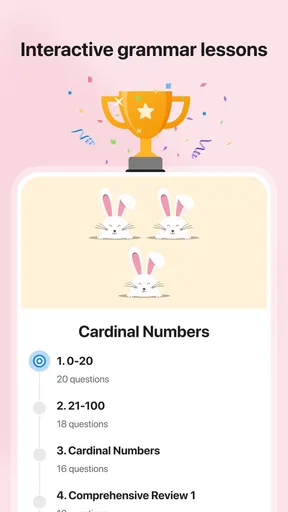
Now, let’s talk about the real meat of the app: the learning features. The app offers a variety of lessons that cater to different levels, from beginner to advanced. Each lesson is broken down into manageable chunks, which is perfect for someone like me with a short attention span. Interactive exercises and quizzes keep things lively and ensure that you’re not just passively consuming information.
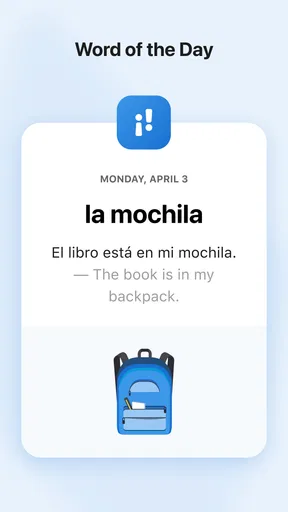
One of my favorite features is the vocabulary builder. It’s like having your own personal Spanish tutor in your pocket. You can add words to your list and practice them through fun, engaging games. The spaced repetition system really helps cement the vocabulary in your brain. Plus, the app throws in fun trivia and cultural notes, giving you more than just language skills.
Progress Tracking: Keep an Eye on Your Growth
The progress tracking feature is a game-changer. As someone who loves to see tangible results, this aspect of the app keeps me motivated. You can set goals and the app will keep track of your streaks and achievements. It’s incredibly rewarding to see those stats go up as you complete more lessons and quizzes. It’s like having a digital pat on the back, encouraging you to keep going.
What’s also cool is the leaderboard feature. If you’re the competitive type, this is a great way to challenge your friends or other learners. It adds a social element to the app, making the learning process a little less solitary.
Why It Stands Out: A Comprehensive Learning Tool
So, what makes SpanishDictionary.com Learning stand out in the crowded world of language apps? For starters, it’s the comprehensive approach to language learning. The app doesn’t just throw random vocabulary at you. Instead, it provides a well-rounded curriculum that includes listening, speaking, reading, and writing exercises.
Moreover, the app is constantly updated with new content, ensuring that you’re always learning something fresh and relevant. The team behind the app clearly puts a lot of effort into making sure it’s not just educational but also enjoyable.
Final Thoughts
All in all, my journey with SpanishDictionary.com Learning has been incredibly positive. It’s an app that truly understands the challenges of learning a new language and offers practical solutions. Whether you’re a complete beginner or looking to polish your skills, this app has something for everyone.
So, if you’re ready to tackle Spanish with confidence, give this app a shot. Who knows, you might just find yourself speaking like a local faster than you think!
Pros
- Comprehensive Spanish-English dictionary.
- Interactive learning tools included.
- Pronunciation guides available.
- Daily vocabulary quizzes enhance learning.
- User-friendly interface design.
Cons
- Requires internet for full functionality.
- Limited offline features.
- Ads in free version can be distracting.
- Occasional lag on older devices.
- Subscription model for premium features.
FAQs for SpanishDictionary.com Learning
What features does SpanishDictionary.com Learning offer?
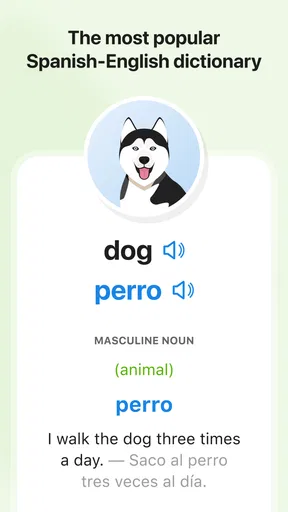
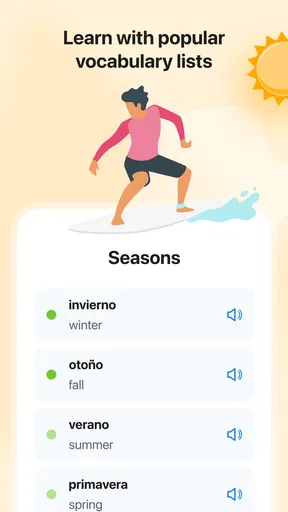
SpanishDictionary.com Learning provides a comprehensive set of tools for learning Spanish, including interactive lessons, vocabulary lists, quizzes, and pronunciation guides. It also offers a language translator and verb conjugator, making it a robust resource for both beginners and advanced learners looking to improve their Spanish skills.
Is SpanishDictionary.com Learning suitable for beginners?
Yes, the app is designed to cater to learners of all levels, including beginners. It offers structured lessons that start from the basics, along with engaging exercises and quizzes to reinforce learning. The app also provides in-depth grammar explanations and vocabulary building exercises tailored for those just starting out.
Does the app require an internet connection to function?
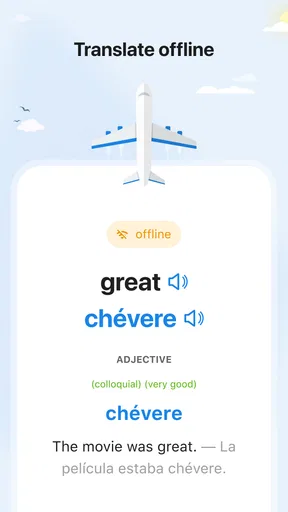
While some features of SpanishDictionary.com Learning can be accessed offline, such as downloaded lessons and vocabulary lists, other functionalities like the language translator and certain interactive components require an internet connection to work effectively. It’s advisable to have internet access for a full user experience.
Are there any in-app purchases or subscription fees?
SpanishDictionary.com Learning offers both free and premium content. While the basic features are available at no cost, a subscription may be required to access advanced lessons, ad-free experience, and additional resources. Users can choose a monthly or yearly plan depending on their learning needs and budget.
How does SpanishDictionary.com Learning help improve pronunciation?
The app includes a pronunciation guide with audio examples from native Spanish speakers. Users can listen to and practice speaking the words and phrases. Additionally, some versions of the app may include voice recognition technology to provide feedback and ensure accurate pronunciation, helping learners improve their speaking skills over time.


